

Standing Desk Height Calculator
Ergonomic Standing Desk Height Calculator
Desk Height Calculator
Desk Height Calculator


Why Standard Desk Heights Do Not Work for Most People
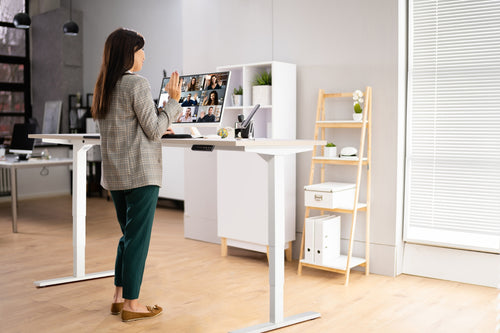
The average desk sold in North America sits at 29 inches. That height is ergonomically correct for one group of people: those who are approximately six feet tall. For everyone else which is most people, a fixed 29-inch desk forces the shoulders to rise, the wrists to angle upward, and the neck to tilt forward to see the screen. Over time, those small postural compromises add up. The muscles along the upper back and neck stay in a low-grade state of tension for hours at a stretch. The lower back loses its natural curve. What starts as mild stiffness at the end of a long workday becomes chronic discomfort that follows you away from the desk. A height-adjustable standing desk solves this by letting you match the surface to your body rather than the other way around. But only if you know what height to set it to.
What Your Ideal Desk Height Actually Depends On
There is no single number that works for every person of the same height. Your ideal desk height is shaped by a combination of factors that a one-size calculator cannot fully account for, which is why the calculator above uses your height as a starting point and gives you a range rather than a single number.
The primary variable is your elbow height when standing naturally. This is the height your desk surface needs to match when you are standing. When seated, it is the height your desk needs to match with your arms resting comfortably on the surface without raising your shoulders.
The 90-Degree Rule — and Why It Matters
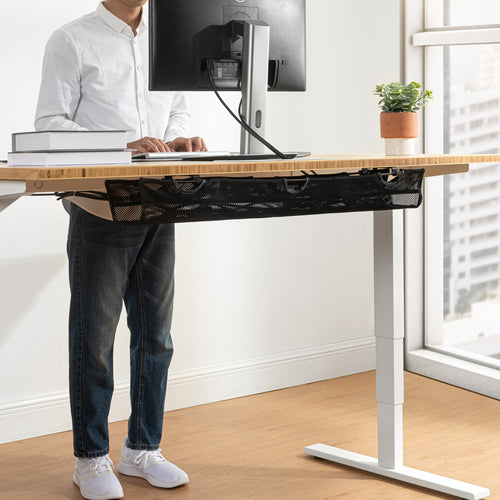
The foundation of an ergonomic desk setup is simple: when your hands are resting on the keyboard, your elbows should be at approximately a 90-degree angle. Your forearms should be parallel to the floor. Your shoulders should be relaxed and not raised or pulled forward.
When your desk is too high, your shoulders lift to compensate. When your desk is too low, you lean forward and round your upper back. Both positions create tension that compounds over a full workday.
The same principle applies in standing mode. Your desk should rise to the height where your elbows naturally sit when your arms hang relaxed at your sides — not where it is convenient to raise it.
Setting Up Your Monitor Correctly
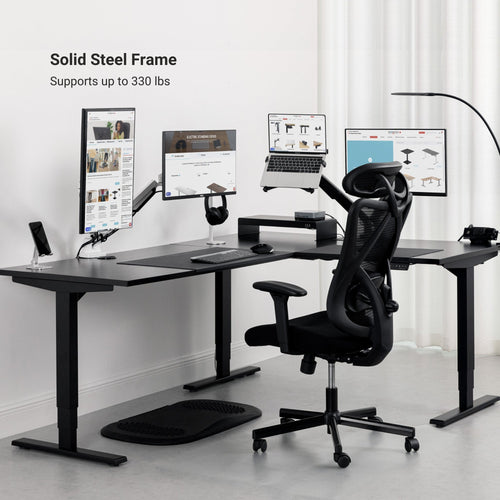
Monitor position is the part of the ergonomic setup most people get wrong, even after adjusting the desk height correctly. The top edge of your monitor should sit at approximately eye level when you are looking straight ahead. If the screen is too low, your neck tilts forward and down for hours at a time. If it is too high, your neck tilts back and your eyes strain to focus on the upper portion of the screen.
The right monitor height does not change between sitting and standing — your eyes are always at the same height relative to your head. What changes is the height of the desk beneath your arms. A monitor arm lets you lock the screen at the correct eye-level position and keep it there regardless of whether you are sitting or standing, without readjusting each time you switch.
Tips for Getting the Most From Your Height-Adjustable Desk

Footwear adds real height to your standing position. A pair of thick-soled shoes can shift your ideal desk height by half an inch to a full inch compared to bare feet. Always use the calculator while wearing what you typically wear at your desk.
When configuring your sitting position, adjust your chair before your desk. Getting the chair to the right height — feet flat, thighs parallel to the floor, hips at or slightly above knee level — makes it easier to set the desk to a height that keeps your shoulders relaxed.
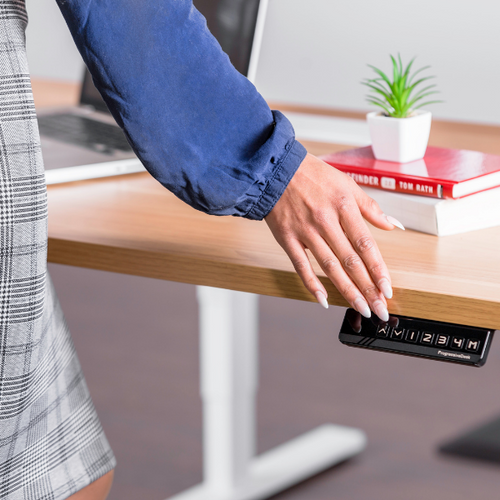
The health benefit of a sit-stand desk comes from regular movement, not from standing all day. Standing in one position for hours creates its own fatigue. Use a programmable remote with memory presets to make switching fast enough that you actually do it.
Standing on a hard floor for extended periods causes fatigue in the feet, calves, and lower back faster than most people expect. An anti-fatigue mat encourages small, continuous micro-movements in your legs and feet that improve circulation and reduce that fatigue significantly.
Your keyboard should sit at the same height as your desk surface, with your wrists in a neutral, flat position when typing — not bent upward or downward. If you use a keyboard tray, factor its thickness into your desk height calculation.
What’s the Best Sitting-to-Standing Ratio? Start with the Right Height
FAQ
Your standing desk should sit at elbow height — when you stand naturally with your arms relaxed at your sides, your forearms should rest parallel to the floor with your elbows at roughly a 90-degree angle. For most people, this falls between 38 and 46 inches, depending on your height and the shoes you wear.
For someone who is 5'4", the recommended standing desk height is typically between 38 and 41 inches (97–104 cm). For sitting, aim for 24–26 inches (61–66 cm). Use the calculator above to get a precise measurement based on your exact height.
For someone who is 5'7", the recommended standing height is typically between 41 and 43 inches (104–109 cm). For sitting, aim for 25–27 inches (64–69 cm). Always verify this by wearing the shoes you normally use at your desk, as footwear can shift your ideal height by up to an inch.
For someone who is 6'0", the recommended standing desk height is typically between 43 and 46 inches (109–117 cm). For sitting, aim for 27–29 inches (69–74 cm). Use the calculator above for a precise personalized measurement.
The relationship between your eyes and the monitor should stay the same in both positions — the top of your screen should sit at approximately eye level whether you are sitting or standing. What changes is the height of the desk surface beneath your arms. A monitor arm makes it easy to keep the screen at a consistent eye-level position without readjusting every time you switch.
Most ergonomic guidelines recommend alternating between sitting and standing every 30 to 60 minutes. Standing all day is not the goal — regular position changes are. A programmable desk remote with memory presets makes it easy to switch quickly without stopping your work.
Yes, and it is easy to overlook. A thick-soled shoe can add 0.5 to 1.5 inches to your standing height, which shifts your ideal desk surface height by the same amount. Always measure and use the calculator while wearing the footwear you typically wear at your desk.
Yes, when set to the correct height. Improper desk height forces your shoulders to rise, your wrists to bend, and your neck to tilt forward, all of which contribute to back and neck pain over time. A height-adjustable desk set to your exact ergonomic height encourages a neutral spine position and reduces the load on your lower back. Alternating between sitting and standing throughout the day adds additional benefit by keeping your muscles engaged and improving circulation.
Your chair height should allow your feet to rest flat on the floor with your thighs parallel to it and your hips at or slightly above knee level. For most people this falls between 16 and 21 inches. Setting your chair height correctly first — before adjusting the desk — tends to produce the most comfortable sitting position.
Yes. Your sitting desk height and standing desk height will be different by design. A properly adjusted sitting height typically falls in the 23–29 inch range depending on your height, while a standing height typically falls in the 35–47 inch range. A height-adjustable sit-stand desk lets you switch between both with the press of a button.
How Can You Improve Your Sit vs. Stand Ratio?
Improving your sit-to-stand ratio begins with setting your desk to the correct height. Our Standing Desk Height Calculator ensures your transitions are ergonomic and effortless—helping you alternate between positions without strain. Combine your ideal height settings with reminders or presets to create a workspace routine that supports long-term health and productivity.
BROWSE OUR DESKS